Spring Clean Your Family Command Center: The 20-Minute Reset That Actually Works
Learn how to quickly refresh your outdated family command center with a targeted 20-minute spring reset. This guide helps you purge expired information and update it for the season, making your system functional again.
- Reset your family command center in just 20 minutes.
- Purge expired information and items to restore credibility.
- Update your center for the current season to keep it relevant.
- Avoid a full redesign; a targeted refresh is all you need.
Walk over to your family command center right now. Take a good, honest look at it.
If yours is like most family command centers in March, what you’re seeing is something between a time capsule and an administrative crime scene. There’s a flyer for the school holiday concert pinned under a to-do list that includes “buy Halloween candy.” The calendar shows December. A swimming lesson schedule for a session that ended in January is still hanging by one corner. Someone has added “call plumber” to the whiteboard in what appears to be three different handwriting styles, suggesting it has been added, erased, and re-added over a period of months. Under the mail slot: a mystery stack of papers that may or may not contain something important, and nobody has investigated because the whole situation feels vaguely threatening.
There’s also a mittens on the key hooks. It’s March.
Here’s the thing about command centers: they work brilliantly when they’re current, and they fail quietly when they’re not. An outdated command center doesn’t announce its uselessness loudly—it just slowly becomes background noise. Family members stop consulting it. The calendar goes unchecked. Papers accumulate in the inbox without action. The system is still physically there, but it has functionally stopped being a system and become a wall installation.
This happens to almost every family in the same window: late winter, post-holidays, before spring really kicks in. You set up the command center with good intentions in September or January, and then real life happened, and now it’s March and the thing is showing its age.
The fix is not a full redesign. You don’t need a Pinterest overhaul, new components, or a complete afternoon. What you need is a targeted 20-minute spring reset—a purge of what’s expired, an update for the season ahead, and a few specific additions that make the command center relevant again right now.
That’s exactly what this guide covers.
In this article (9 sections)
- Why Command Centers Drift (And Why March Is When It Peaks)
- Signs Your Command Center Needs a Reset (Beyond the Obvious)
- The 20-Minute Spring Purge: Step-by-Step
- Updating the Calendar for Spring: What Needs to Be There
- Seasonal Swap-Outs: What Leaves, What Arrives
- Adding a Spring Essentials Station
- Involving Kids in the Spring Refresh
- Maintenance Habits That Keep It Working Through Spring
- Frequently Asked Questions
Why Command Centers Drift (And Why March Is When It Peaks)
Understanding why the drift happens helps you prevent the next one.
Command centers fail at maintenance for a predictable reason: the daily habits that support them tend to be strong right after setup and gradually weaken. You check the calendar every morning for six weeks, then four days a week, then you’re in a rush one morning and skip it, and the habit quietly dissolves over the following month. You process paper immediately after setup, then you stack a couple of things “temporarily,” and then the stack becomes the norm.
The seasonal mismatch problem is particularly insidious. The information on a command center is perishable. School schedules, sports rosters, activity calendars, allergy medicine reminders—these all have expiration dates. When expired information stays on display, the whole center loses credibility. The family unconsciously learns that what’s up there may not reflect current reality, so they stop consulting it.
March is peak drift season for a specific reason: it sits at the end of a long stretch without a natural reset point. September brings back-to-school energy that typically prompts a command center refresh. January brings New Year momentum. But the stretch from January through spring break is a long, gray slog through the tail end of winter, and the command center tends to get ignored right along with everything else.
The good news: the drift is fixable in 20 minutes. Not because 20 minutes is enough to overhaul anything, but because the specific problem—outdated information, expired materials, wrong-season items—can be addressed quickly once you know exactly what to do.
This guide is designed as a companion to the original family command center setup guide. If you haven’t set one up yet, start there—it covers location selection, component design, and getting family buy-in from scratch. If you have a center that needs a reset, you’re in the right place.
Signs Your Command Center Needs a Reset (Beyond the Obvious)
The holiday flyer and the January calendar are obvious signs. But there are subtler indicators that your command center has drifted past its usefulness.
Nobody consults it voluntarily. You’re still telling family members information that lives on the command center—appointments, schedule reminders—because nobody is checking it on their own. This means the information isn’t current enough to be trusted.
You dread looking at it. If glancing at the command center produces a vague sense of guilt or overwhelm rather than useful information, it’s because the center has accumulated clutter rather than clarity. A functioning command center should make you feel more organized, not less.
The inbox has become a no-man’s-land. Papers go in; papers never come out (except occasionally, with confusion). If your paper management section has more than a week’s worth of unprocessed items, the system isn’t flowing.
Seasonal mismatch is everywhere. Winter gear on hooks. Holiday card display still up. Vitamin D supplement reminder (for dark months) still posted when spring allergies are the actual relevant issue. Any information or item that belongs to a previous season is signal that the center hasn’t been reset.
The calendar hasn’t been updated in more than two weeks. A calendar that runs behind the actual calendar on your phone stops being useful. If people have stopped updating it, it’s because they’ve stopped trusting it.
The key hooks are holding the wrong things. Winter coats should be migrating to closets as temperatures rise. The hooks at the command center are prime real estate—they should hold whatever leaves the house most frequently right now, not whatever accumulated there over winter.
If three or more of these describe your center, you need a reset. If all of them describe it, you need the 20-minute purge and a renewed maintenance commitment. Let’s do it.
The 20-Minute Spring Purge: Step-by-Step
Set a timer. The 20-minute limit is real and it serves a purpose—it prevents this from becoming a two-hour project that either doesn’t get started because you don’t have time, or expands into a full reorganization that exhausts you and makes maintenance feel like a big deal. This is a targeted purge, not a redesign.
What you need:
- One trash bag or recycling bin nearby
- A “to file” folder or envelope
- A pile spot for “action needed” items
- A pen to update the calendar
That’s it. No purchases. No new bins. You’re editing, not rebuilding.
Minutes 0-5: The Full Strip
Take everything down and off the command center. Every piece of paper, every pinned note, every magnet, the calendar, the mail in the inbox—all of it comes off. Set it in a pile beside you.
Don’t sort while you strip. Just remove everything so you can see the bare board, wall, or surface. This reset of the physical space gives you a moment of clarity before you put anything back.
If there are physical items on hooks—keys, bags, scarves, mittens—move those into a separate pile as well.
Minutes 5-12: The Sort
Now sort the pile into four categories:
Trash/Recycle: Expired flyers, duplicate notes, outdated schedules, anything from a season or event that has passed, promotional materials you never acted on, anything you couldn’t identify in five seconds.
File: Tax documents, insurance papers, anything you need to keep but doesn’t belong on display. Goes in the “to file” folder right now; you’ll file it properly later. The rule is: if it doesn’t need to be visible for daily function, it doesn’t stay on the command center.
Action Needed: Anything requiring a response, a phone call, a payment, a signature. This is the active inbox category. If it’s been “action needed” for more than four weeks, escalate it now or trash it.
Goes Back Up: Only things that are current, relevant to the next six weeks specifically, and need to be visible for daily function. This pile should be notably smaller than what came down.
Be aggressive. When in doubt, trash or file. The command center is not an archive—it’s a live dashboard. Only live information belongs on it.
Minutes 12-17: Calendar Update
The calendar gets its own dedicated five minutes because it’s the most important component and the most common source of drift.
What to do:
- If you’re using a dry-erase monthly calendar: wipe it clean and fill in the actual current month from scratch
- If you’re using a wall paper calendar: flip to the correct month
- Fill in all confirmed events for the next 4-6 weeks: school activities, sports, appointments, spring break dates, key deadlines
- Mark spring break clearly and visibly—this is coming up fast and should be the most prominent near-term entry
- Add any recurring spring commitments that weren’t on the winter calendar: spring sports practices, allergy shot schedules, outdoor activity programs
While you’re updating: check whether your color-coding system is still working. If one child has a color that’s never used because they’re old enough to manage their own calendar digitally, simplify. If a new activity means a new category, add it.
Minutes 17-20: What Goes Back Up
Now, and only now, put things back. Follow these rules:
- Current calendar only (the one you just updated)
- Active inbox only (the action items from your sort—maximum 5-7 items)
- Current reference information (school contact, emergency numbers, current sports schedule, allergy medication instructions if relevant to this season)
- Keys and daily essentials — but only spring-relevant ones (more on this below)
- Family communication board — wiped clean and ready for current messages
Leave extra space. Resist the urge to fill every available surface. Blank space on a command center is not wasted space—it’s breathing room that makes what is there more visible.
If the 20 minutes runs out before you’re done putting things back, stop. The purge is more important than the rebuild. A stripped-down command center with only the essentials is dramatically more functional than an overstuffed one that looks complete.
Spring Purge Checklist
| Item | Keep? | Action |
|---|---|---|
| Holiday or seasonal flyers (past) | No | Trash |
| Expired activity schedules | No | Trash |
| Old permission slips (signed/returned) | No | Trash |
| Bills or mail older than 30 days | File/Action | Remove from display |
| Current month’s calendar | Yes | Keep and update |
| Winter event reminders | No | Trash |
| Emergency contacts | Yes | Keep (verify still current) |
| School schedule/phone numbers | Yes | Keep |
| Current sports/activity schedule | Yes | Keep if still active |
| Wi-Fi password | Yes | Keep |
| Winter gear on hooks | No | Move to proper storage |
| Expired coupons or promotions | No | Trash |
| Notes older than 2 weeks | Probably not | Reassess each one |
| Artwork/school projects | Maybe | Rotate—keep 1-2 current |
Updating the Calendar for Spring: What Needs to Be There
The spring calendar has different demands than the fall or winter one. Here’s what should be explicitly added after your reset.
Spring break dates. If you’re reading this in early-to-mid March, spring break is in the next two to four weeks for most families. This should be the most prominent near-term entry on your calendar with a clear bracket showing the full period. Add any day camps, planned activities, or childcare coverage you’ve arranged during that stretch.
Spring sports and activities. Spring seasons for youth sports often start in late February or March. If your child is playing baseball, soccer, lacrosse, running track, or starting any spring activity, the schedule goes on the calendar now. If you haven’t received the full schedule yet, note “spring sports schedule TBD” as a visual reminder to get it when it arrives.
Spring break planning milestones. If spring break involves any travel or significant activities that require advance coordination, work backward and add the planning milestones: book X by this date, confirm reservations, pack by Friday.
Allergy season. Spring means seasonal allergies for a significant portion of the population. If any family member has allergies that require medication, add a seasonal reminder: “Allergy season starts approximately mid-March — begin Zyrtec.” Having this on the calendar prevents the annual scramble when pollen hits and you’re suddenly all congested with no antihistamines in the house.
End-of-year school events. Spring is loaded with events that creep up quickly: spring concerts, science fairs, standardized testing windows, teacher appreciation week, field day, graduation ceremonies for older kids. Pull the school calendar and add everything from now through June. These are easy to miss and they tend to require preparation (volunteer sign-ups, purchased items, specific school days).
Mother’s Day, Memorial Day, and May milestones. If your family observes these, they go on the calendar now. Better to see them coming six weeks out than to realize two days before that you have no plan.
Seasonal Swap-Outs: What Leaves, What Arrives
The command center is not just a paper management system—it’s a physical hub for what your family needs on any given day. In spring, the inventory of that hub changes. Here’s the systematic swap.
What Leaves the Command Center in Spring
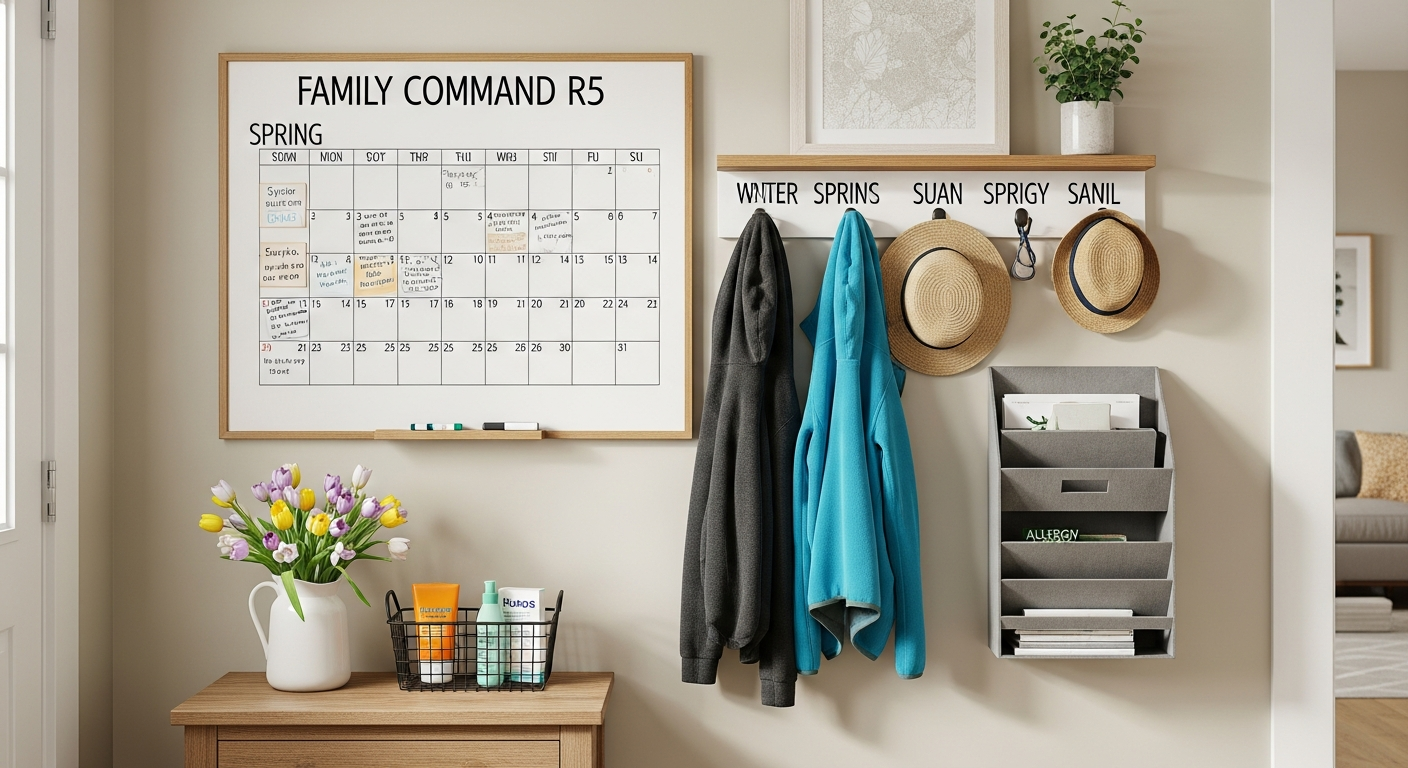
Winter gear from hooks. Mittens, scarves, and heavy-duty winter accessories have no business on the daily hook system in March in most of the country. Move them to their off-season storage. If you’ve been through a seasonal clothing rotation for the kids, apply the same logic to the gear at the door: if it won’t be worn daily in the next 30 days, it doesn’t need prime hook real estate.
Heavy cold-weather reminders. The vitamin D reminder, the humidifier refill note, anything tied to the indoor-dry-air-darkness of deep winter comes down.
Holiday information. If any remnants of holiday scheduling, gift-giving coordination, or winter event information are still hanging around, this is their exit point.
Over-heavy inbox. Any paper that’s been in the inbox longer than 30 days needs to be processed now—filed, acted on, or trashed. Chronic inbox items are not command center items; they’re avoidance items.
What Arrives at the Command Center in Spring
Allergy medication information. A simple reference card: who takes what, when, and what the backup options are if you run out. This is genuinely useful visible information from March through May.
Sunscreen station. This is a game-changer for families with young kids. As soon as outdoor time increases, sunscreen application becomes a daily friction point. Add a small basket or bin at the command center (or immediately adjacent to it, near the exit your family uses most) with sunscreen, bug spray, and a lip balm. The question “Did you put sunscreen on?” has a much better answer when sunscreen is visible at the door. More on this in the spring essentials station section below.
Spring sports schedules. New season, new schedule. This is a document that should be on or adjacent to the calendar so the whole family sees the upcoming commitments.
Outdoor activity reminders. If your family has a system for before-you-go-outside items—sunscreen, water bottle, shoes at the door—make those reminders visible now while the habit is being rebuilt after winter.
Spring break itinerary or plan. If you’re traveling, a printed itinerary goes on the command center. If you’re staying home, a loose plan for the week helps everyone know what’s happening—especially kids, who regulate better with visible structure.
Spring Swap-Out Table
| Category | Remove | Add |
|---|---|---|
| Gear hooks | Mittens, heavy scarves, hand warmers | Light jacket hook, baseball cap hook |
| Health reminders | Vitamin D note, humidifier reminder | Allergy med schedule, sunscreen reminder |
| Schedules | Winter sports, holiday activities | Spring sports, allergy season start |
| Seasonal reference | Holiday contacts, winter event list | Spring break plan, outdoor activity guide |
| Supply station | None to add | Sunscreen, bug spray, allergy meds |
| Calendar focus | December-February events | Spring break, spring sports, end-of-year events |
Adding a Spring Essentials Station
This is the single highest-ROI addition you can make to your command center this spring.
The spring essentials station is a small, designated spot—could be a basket, a small bin, a section of a shelf, or a few hooks—located at or very near the command center, positioned near the door your family uses to exit to outside. It holds exactly the things that are needed for outdoor activities from March through September.
Spring essentials station contents:
| Item | Why It’s There | Notes |
|---|---|---|
| Sunscreen (SPF 30+) | Daily use once outdoor time increases | Face stick for convenience, spray or lotion for body |
| Bug spray | Essential from mid-spring through summer | DEET or picaridin for effectiveness |
| Allergy medication | Quick access during peak season | Keep a backup supply, not just the primary bottle |
| Lip balm with SPF | Often forgotten, used constantly in spring | Keep 2-3 so there’s always one |
| Portable first aid | Small kit for outdoor minor injuries | Band-aids, antiseptic wipe packets |
| Hair ties | For active outdoor time | More useful than it sounds |
Setup cost: $0-25. If you already own all these items and they’re scattered across the house, the cost is zero—just consolidate them into a basket. If you need to stock up, a spring essentials run typically runs $15-25.
The system rule: When any item runs low, it goes on the shopping list immediately. The essentials station only works if it’s stocked. Create a visual minimum—when the sunscreen is less than a quarter full, that’s the trigger to add it to your grocery list.
Connection to the command center: The essentials station works as an extension of the command center rather than a separate system. The calendar might say “baseball practice Saturday”—the essentials station is the physical response to that entry, ensuring the gear for that activity is staged and ready. It closes the loop between the schedule you’re tracking and the physical objects you need.
Involving Kids in the Spring Refresh
Getting children engaged in the command center refresh accomplishes two things: it transfers some of the maintenance load, and it builds the habits that make the system self-sustaining over time.
The degree of involvement should match developmental stage.
Ages 3-5: Single assigned task. At this age, involvement is about physical participation, not comprehension. Give them one specific job: “Your job is to put the mittens in the bin.” “Your job is to put the old papers in the recycling.” They’re present, they’re contributing, and they’re starting to understand that the command center is something the family maintains together.
Ages 6-9: Calendar input. This age group is often highly motivated by seeing their own activities on the family calendar. Let them tell you what to add: “What are your spring activities? Let’s put them on the calendar so everyone knows.” They can write on the calendar themselves (with assistance). This creates personal investment in the system—the calendar now reflects things they care about, which makes them more likely to check it.
Ages 10-13: Section ownership. Tweens can own a section of the command center. Their schedule column, their inbox slot, their homework reminders. The spring refresh is an opportunity to renegotiate their section: “What do you need on here for spring? What can we take down?” They’re managing their own information, which builds genuine executive function skills, not just familiarity with your organizational system.
Teens: Partner, not participant. By high school, the command center should be something teenagers genuinely use, not something done to them. Include them in the reset conversation as a family logistics partner: “I’m resetting the command center for spring. What are your key dates I should add? What do you need from the system this season?” This is also good preparation for the organizational independence they’ll need in college and beyond.
One universal rule for all ages: Don’t involve kids in the purge of their own school work or artwork without giving them agency. Let them choose what stays and what comes down. A drawing they made in November might feel deeply important to them even if it means nothing to you. Honor that. Save one or two things they choose; cycle the rest.
Maintenance Habits That Keep It Working Through Spring
The reset is the easy part. The hard part is not letting it drift back into dysfunction by June. Here’s the maintenance system that actually holds.
The original family command center guide covers the full habit architecture—daily, weekly, and monthly practices. What follows are the spring-specific additions.
The Sunday-night five-minute check-in. Once a week, five minutes, standing at the command center. Ask yourself three questions: Is the calendar accurate through next Friday? Is there anything in the inbox that needs action this week? Is there anything that should be there that isn’t? That’s it. Five minutes, one standing session per week, prevents the drift from compounding.
The paper-enters-the-house rule. Every piece of paper that enters your home goes immediately to one of three places: action slot, file folder, or recycling. It does not go on the counter, in a pile, or “on top of the command center to deal with later.” This rule is the single most powerful maintenance habit. Enforce it for two weeks and it becomes automatic.
The seasonal check-in at the 6-week mark. Set a calendar reminder six weeks from now—late April—for a 10-minute check-in: Is the command center still current? Any spring break items to remove? Any end-of-year school items to add? A brief mid-season tune-up prevents the gradual accumulation of outdated material.
Weekly Maintenance Schedule
| Day | Action | Time |
|---|---|---|
| Sunday | Full 5-minute review, calendar update for the week | 5 min |
| Monday-Friday | Process any incoming paper immediately | 1-2 min/day |
| Any day | Add items to shopping list when essentials station runs low | 30 sec |
| Friday | Quick visual scan—anything obviously wrong? | 2 min |
The lowest-friction maintenance rule: If you spend more than 20 minutes on command center maintenance in a week, the system is too complicated. Maintaining an organized system should feel effortless after the initial setup. If it doesn’t, simplify.
Keeping the family involved: The command center only works as a family system if the family uses it. The habits that sustain it aren’t about reminding people to check it—they’re about making it the natural place to go for information. Post the wifi password there. Post the week’s schedule there. When a family member asks “What time is practice?”, direct them to the command center rather than answering. Over time, they learn to consult it before asking.
Neutral Nina
Neutral Nina is an interior design enthusiast and mom of three who proves that beautiful, organized spaces and family life can coexist. She shares practical strategies for creating calm, functional homes that work for kids and grown-ups alike.
Frequently Asked Questions
Our command center is basically just a calendar with nothing else. Is that okay?
Yes, and honestly, a consistently maintained calendar alone is a functional command center. The multi-component approach works well for families with complex logistics, but if a single-calendar system works for your family and gets used, that’s a success. Complexity should match need. Only add components when you have a real problem they’d solve.
How do I convince my partner to engage with the command center again? It was a joint project but now only I use it.
This is extremely common. The most effective approach: stop narrating the calendar and start directing them to it. Instead of “Don’t forget, you have a dentist appointment Thursday,” try “Check the calendar—there’s something for you on Thursday.” When they ask about schedules, direct rather than answer. You’re reinforcing that the center is where the information lives, not in your head.
My command center is on the back of the pantry door. Is that why it’s not working?
Probably part of it. Command centers positioned on doors that open and close throughout the day are frequently overlooked because they’re occluded. The research on habit formation is consistent: you don’t form habits around things you don’t see. If the door is open against a wall, the center is invisible half the time. Either move the center to a fixed visible surface, or make a habit of closing the pantry door so the center is exposed.
How often should I do a complete spring-style reset?
A full reset like the 20-minute spring purge should happen at major transition points: late August/September (back to school), January (new year), and March/April (spring). That’s three times a year. Between those, the weekly five-minute check-in prevents things from ever getting bad enough to require a full overhaul.
Our command center has grown into a massive wall installation. Is that a problem?
Size is only a problem if you can’t maintain it. A 10-component command center that’s fully current and consistently used is better than a minimal one nobody consults. If maintaining a large center feels overwhelming, that’s signal to simplify. Start by identifying the three components you use every single day and protecting those; cut back on everything else.
Is there a tech version of this? Our family has moved to digital calendars.
Yes. A digital command center reset looks like: clearing out old calendar entries, archiving completed task lists, updating shared notes apps, and ensuring everyone has the same access to spring season information. The spring essentials station is the one component that doesn’t digitize—that lives physically near your door regardless of how digital the rest of your system is. If your family runs fully digital, the most important spring reset task is auditing permissions and shared access so everyone can see and edit the family calendar.
What should I do about the school artwork and papers that have accumulated?
The command center is not an archive, and artwork deserves better than being pinned to a cork board until it fades. Create a designated artwork and school paper system that’s separate from the command center—a portfolio folder, a scan-and-save workflow, a dedicated memory box. The command center can have a temporary display spot for current, recent work (one or two items per child), but it rotates out on a schedule. Everything else goes to its proper archive. If you’re also doing a spring reset of other areas of the house, this connects well to the broader home organization declutter work that spring typically motivates.